Lineage Visualization Page¤
The Lineage page provides interactive visualizations of data flow and dependencies in your ML pipelines. It helps you understand how artifacts and executions are connected, trace data provenance, and analyze pipeline structure.
Lineage tracking captures the relationships between:
- Artifacts: Datasets, models, and metrics
- Executions: Pipeline stage runs
- Data Flow: How data moves through pipeline stages
- Dependencies: Which artifacts depend on which executions
Visualization Types¤
The Lineage page offers three different visualization modes:
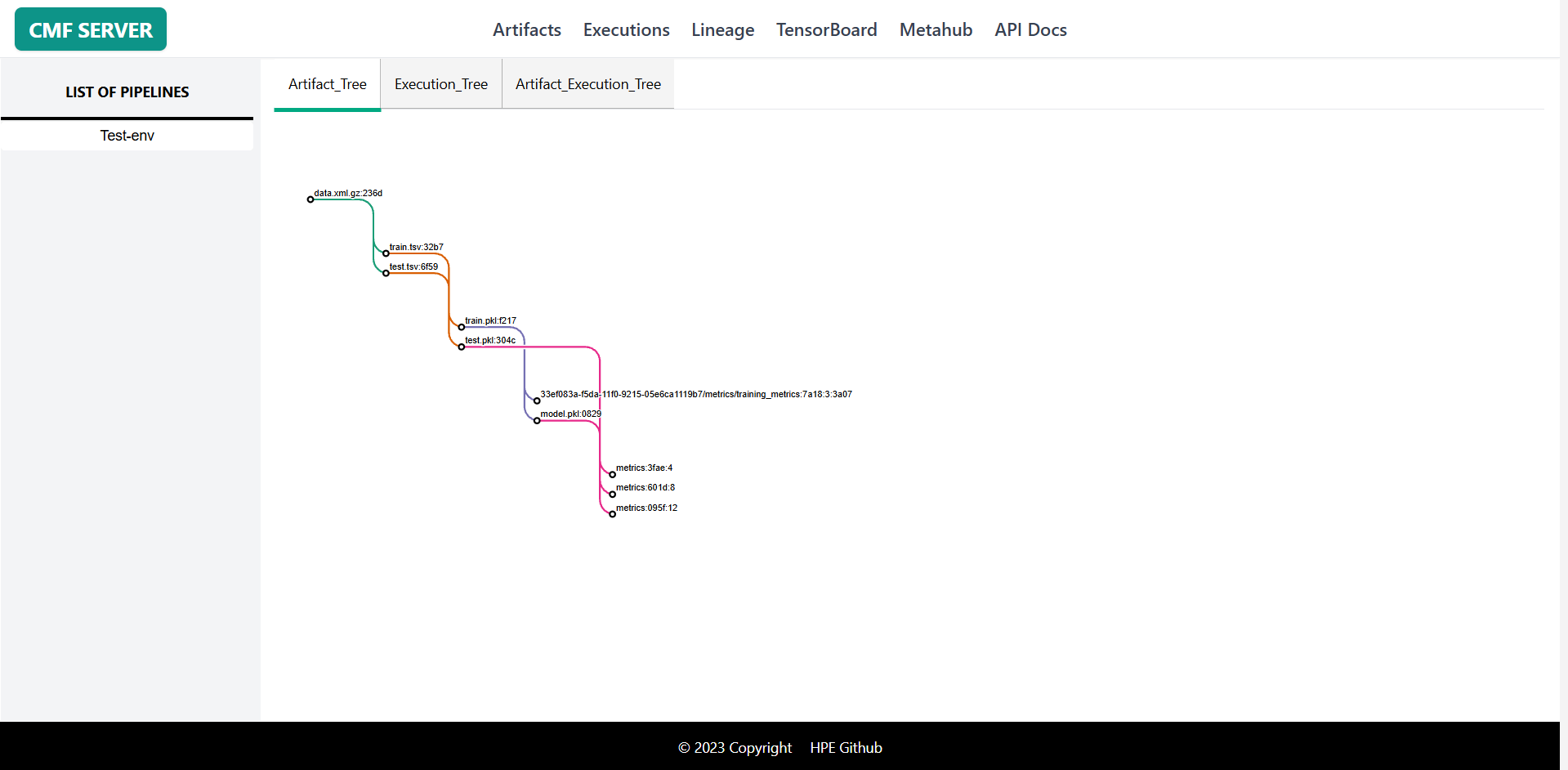
1. Artifact Tree¤
Purpose: Hierarchical view of artifact dependencies
Use Cases:
- Understand data transformation pipeline
- Trace dataset lineage from raw to final
- Identify reused artifacts across stages
Features:
- Tree layout showing parent-child relationships
- Color-coded by artifact type (Dataset/Model/Metrics)
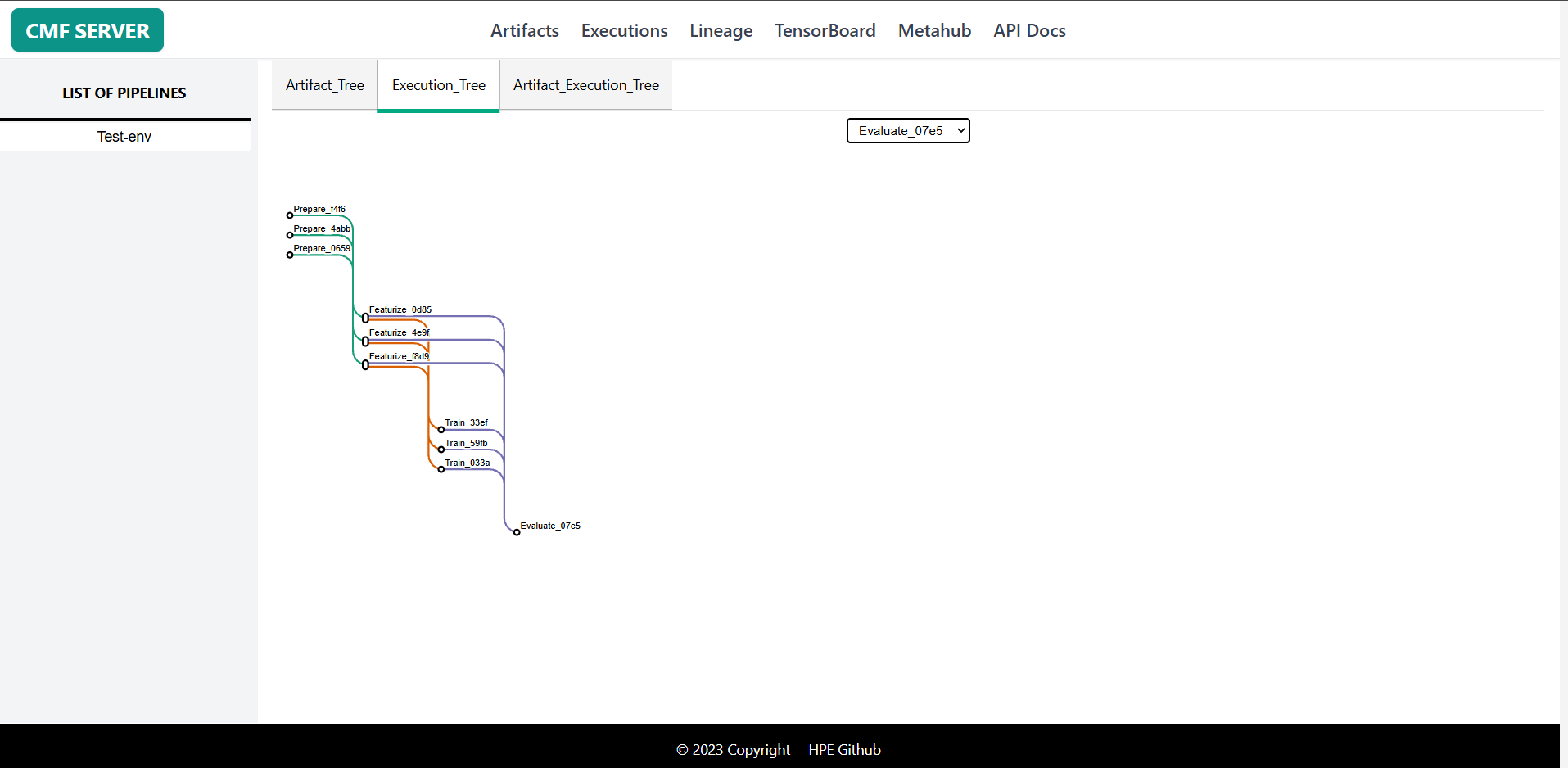
2. Execution Tree¤
Purpose: Hierarchical view of execution dependencies
Use Cases:
- Understand pipeline execution flow
- Debug pipeline stage ordering
- Identify parallel vs sequential stages
Features:
- Select specific execution type from dropdown
- Shows execution order and dependencies
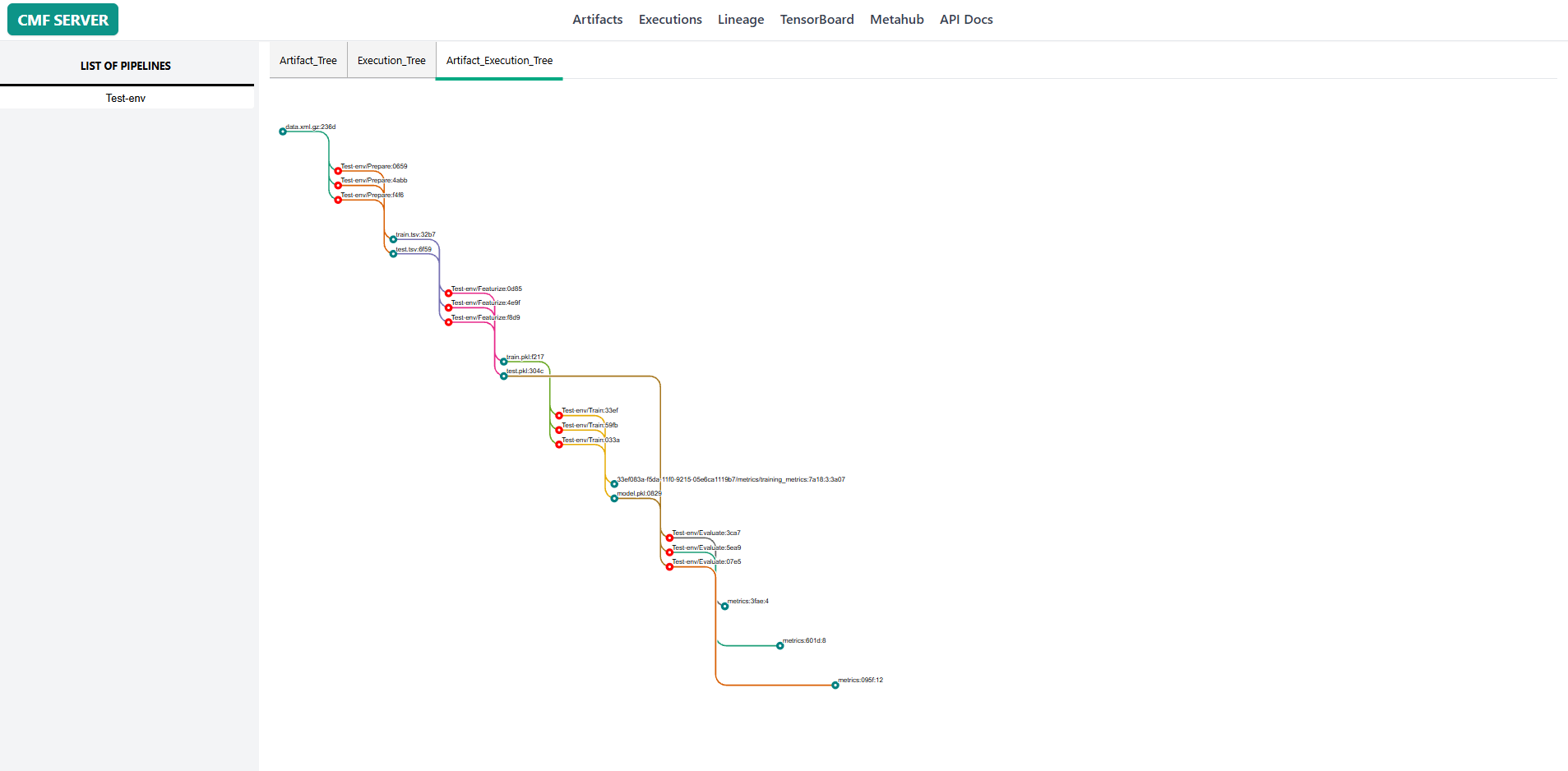
3. Artifact-Execution Tree¤
Purpose: Combined view showing both artifacts and executions
Use Cases:
- Complete end-to-end pipeline visualization
- Understand which execution created which artifact
- Trace full data lineage with transformations
Features:
- Alternating artifact and execution nodes
- Shows input/output relationships
- Complete provenance trail
- Filtered by pipeline
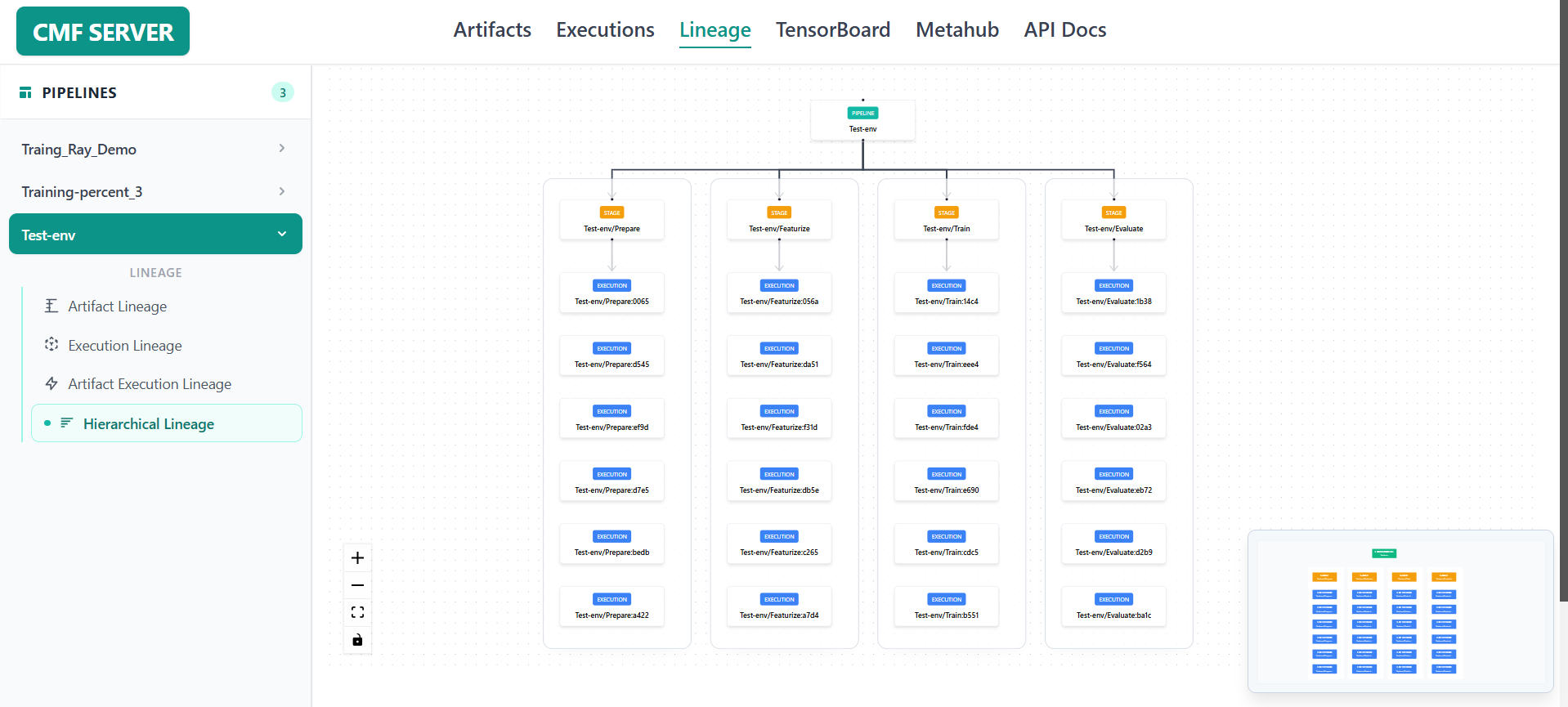
4. Hierarchical Lineage¤
Purpose: Shows all stages of a pipeline and their executions in their respective execution order.
How it works:
The view starts with the pipeline name at the top. Each stage of the pipeline appears as a column below it. Within each column, executions are listed vertically in the order they were run — oldest at the top, newest at the bottom.
Use Cases:
- See all pipeline stages side by side in a single view
- Track the sequence of executions within each stage
- Quickly identify how many times each stage has run
Features:
- Pipeline name shown as the root node at the top
- Each stage displayed as a separate column with its executions stacked vertically
- Color-coded nodes: pipeline anme (green), stages (orange), executions (blue)
- Zoom in / zoom out controls
- Hover over any node to see a tooltip with its name and key details
- Pan across the diagram using the hand cursor
- Mini-map in the corner for quick navigation on large pipelines
Using the Lineage Page¤
Example 1: Trace Data Provenance¤
Goal: Understand where a specific model's training data came from
- Navigate to Lineage page
- Select your pipeline from dropdown
- Choose Artifact Tree tab
- Find your trained model in the tree
- Trace backwards to see:
- Training dataset used
- Preprocessing steps applied
- Original raw data source
Example 2: Debug Pipeline Execution Order¤
Goal: Verify stages executed in correct sequence
- Select Execution Tree tab
- Choose the execution type from dropdown
- View the tree structure showing:
- Which stages ran first
- Which stages ran in parallel
- Dependencies between stages
- Identify any out-of-order executions
Example 3: Analyze Full Pipeline Flow¤
Goal: Get complete picture of data flow through pipeline
- Select Artifact-Execution Tree tab
- View the alternating artifact → execution → artifact pattern
- Trace a specific data path:
- Start from input dataset
- Follow through each transformation
- End at final output (model/metrics)
- Hover on nodes to see details
- Click to navigate to artifact or execution page
Example 4: Find Reused Artifacts¤
Goal: Identify which artifacts are used by multiple executions
- Use Artifact Tree visualization
- Look for artifacts with multiple outgoing edges
- These artifacts are inputs to multiple stages
- Useful for understanding data sharing patterns
- Can help identify opportunities for caching
Related Pages¤
- Artifacts Page - Detailed artifact information
- Executions Page - Execution details and logs
- CMF Client Commands - CLI for metadata management
- Installation & Setup - Set up CMF Server
Additional Resources¤
Understanding Lineage Concepts¤
- Provenance: History of an artifact's creation and transformations
- Upstream: Artifacts and executions that contributed to current node
- Downstream: Artifacts and executions that depend on current node
- Lineage Graph: Directed acyclic graph (DAG) of dependencies